
Use your event photos in three stages. Within 24 hours, send three captioned, high resolution images to the press and post a first social set. Within two weeks, publish a recap, thank your attendees and give sponsors photos of their own. Within 30 days, repurpose selects for your website, recruiting and next year's event promotion. Most galleries need only about a third of their images to do all of it.
Key takeaways
- A typical gallery of 150 to 250 edited images needs only about 70 images to cover press, social, email, sponsors, your website and recruiting. The skill is choosing images by purpose, not posting everything.
- Newsrooms ask for the same few things: a handful of high resolution images, a short caption naming who, what, when and where, and names in order from left to right.
- The popular claim that photos multiply press release views is built on studies from 2011, 2012 and 2015, and the measured lift shrank from about 80 percent to about 40 percent between them. Plan for modest gains, not tenfold ones.
- Agree on usage rights, attendee consent and delivery speed with your photographer before the event, not after.
- One event can feed 30 days of content, if the shoot is planned around the plan below.
The 30 day plan: one event, one gallery, many uses
Most advice about event photos is a list of places to post them. That does not tell you what to send first, how many images each use needs, or when. This plan does. It is our own planning model, built from the newsroom guidance and the delivery timing below. It is a practical guide, not a measured statistic.
The example assumes a gallery of 200 edited images, which sits inside the 150 to 250 range that one event photography studio describes for a three hour corporate event.
| When | Use | Images needed | What to pick |
|---|---|---|---|
| Within 24 hours | Press set sent to media with captions | 3 | The announcement or award moment, the key speaker, one wide shot of the room |
| Within 24 hours | Hero image for your press release or news page | 1 | The strongest single image of the event |
| Within 24 hours | First social posts | 8 | Energy shots with clear branding and faces |
| Week 1 | LinkedIn or company page recap | 8 | A mix of speakers, networking and the room |
| Week 1 | Sponsor and partner packets (for example 3 sponsors with 5 images each) | 15 | Images that feature each sponsor's logo or people |
| Week 2 | Speaker and quote graphics | 5 | Speakers at the podium with space around them for text |
| Weeks 2 to 3 | Website recap page and case study | 12 | A story arc: arrival, program, interaction, close |
| Weeks 3 to 4 | Recruiting and culture content | 6 | Candid team moments, with consent |
| Weeks 3 to 4 | Newsletter | 4 | Two portrait and two wide images |
| Day 30 | Save the date promotion for next year | 6 | Crowd, venue and speaker highlights |
| Total planned use | 68 | About 34 percent of a 200 image gallery | |
The remaining images are not wasted. File them in an archive you can pull from for months: stock style shots of people talking, branded details and wide room images are useful for web pages and presentations long after the event.
What newsrooms actually ask for
The press side of event photos is where most companies lose time. Editors cannot run a photo they cannot identify. We reviewed photo submission guidance from newsrooms, an AP style summary and communications guides. These are guidelines from several different organizations, not one universal standard, but they agree on the basics:
| Requirement | What the guidance says |
|---|---|
| Caption content | Say who is pictured, what is happening, when and where. The first sentence should describe the action in the present tense. |
| Names | Identify people from left to right and spell every name correctly. Some newsrooms ask for full names whenever three or fewer people are the focus. |
| Number of images | One communications template advises sending no more than three images with a concise caption immediately after the event. |
| Resolution | Send high resolution files. Several newsroom guides cite 300 dpi as the target for print, and one tourism authority asks for files at least 5100 by 3400 pixels. |
| Style of photo | Editors prefer action and interaction over lined up, posed groups. |
| Credit | Include the photographer's name, and send the images as individual files rather than embedded in a document. |
A caption template you can copy
This example is fictional. Replace the details with your own.
Maria Alvarez, left, chief executive of Northgate Partners, and Daniel Okafor, right, head of the Harbor Fund, announce a new grant program at Northgate's annual summit on Nov. 12, 2026, in New York. (Photo: David DuPuy Studios)
Notice that the first sentence names the people, the action, the place and the date. A second sentence can add context, such as why the announcement matters. Write your captions before the event, then fill in the details afterward, so you are not guessing at spellings on a deadline.
Do photos really improve press release results?
You will often see claims that photos make a press release perform several times better. Those claims trace back to PR Newswire studies of views on its own platform. Here is what they actually reported, and when:
| Study period | Sample | Photo effect | Video effect |
|---|---|---|---|
| 2011 | Press releases on PR Newswire | Multimedia releases drew 77 percent more views than text only | Not separated |
| 2011 to 2012 | 100,000 releases | 1.8 times the views with a photo, up to 9.7 times with several multimedia elements | 4.3 times the views |
| 2015 | More than 35,000 releases | 1.4 times the views with images | 2.8 times the views |
Read side by side, the pattern is clear. The measured lift from a photo fell from about 80 percent to about 40 percent between the two studies. These figures also measure views on one distribution platform, not media pickups or sales. We could not find a newer public study, so treat old headline numbers with caution.
What the data does support: adding a photo helps, adding video helps more, and an image is a low cost way to improve a release. What it does not support is a promise of ten times the attention. Set your expectations accordingly, and judge success by the pickups and engagement you can track yourself.
Using event photos for marketing, channel by channel
- LinkedIn and social media. Post faces, not just logos. Tag speakers, partners and sponsors so they share it with their own networks. Spread posts across several days instead of publishing everything at once.
- Email. Send attendees a thank you note with a link to the gallery. A short recap with two or three images and a clear next step outperforms a long album dump.
- Your website. Build a recap page with a story arc, and refresh your About and careers pages with fresh images of real people. Resize images for the web so pages stay fast.
- Sponsors and partners. Give each their own set of images. It strengthens the relationship and makes them more likely to renew.
- Sales and investor materials. Use event images in decks and case studies to show scale and credibility.
- Recruiting. Candid team moments show culture better than stock photography, as long as everyone pictured has agreed.
- Next year's event. Use this year's best images in your save the date and sponsor sales materials.
Rights, releases and permission: settle these before the event
This is general information, not legal advice. Ask your counsel to review your terms. These are the points to agree on in advance:
- Usage license. Confirm in writing how you can use the images: marketing, PR, web, social, print and internal use, and for how long.
- Third party use. Ask whether sponsors, partners and media may use the images, and under what credit line.
- Attendee consent. Post clear notice that photography will take place, and use a consent or release process where your event requires it. Brief the photographer on any guests or areas that are off limits.
- Speaker and VIP approval. Flag people who have given permission for marketing use, and mark those who have not.
- Off brand images. Tell the photographer what to hold back, such as images of people at a bar after hours.
Hiring a Corporate Event Photographer in NYC: What to Ask For
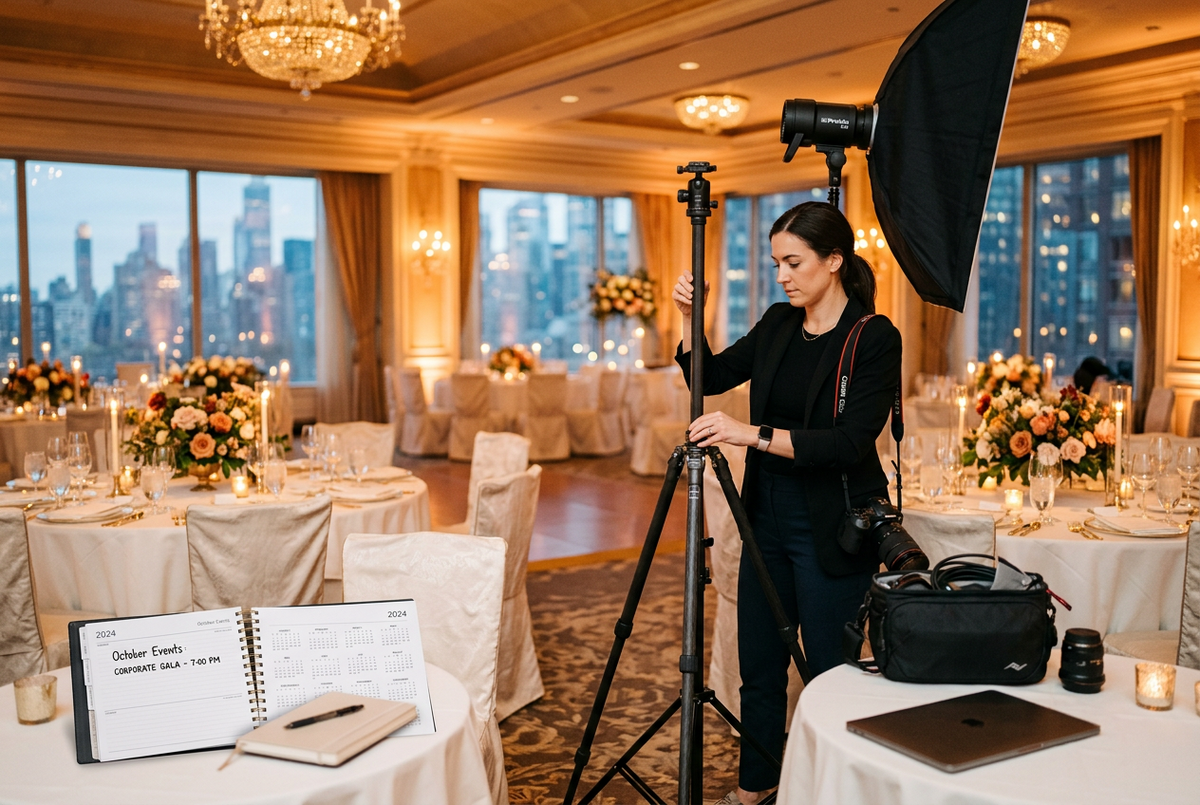
The best use of event photos is decided before the shoot. When you hire a corporate event photographer in NYC, ask for the things that make the plan above possible:
- A shot list tied to your goals. Share your press moments, key people and sponsors before the event so the photographer knows what to capture.
- Press ready delivery. Ask for identified, captioned images that media outlets and your social team can use right away.
- Fast turnaround. Same night or next day delivery matters because news ages quickly. Ask what is realistic for your event.
- A live viewing option. Seeing photos during the event lets your team post while the buzz is high.
- Branding captured on purpose. Logos, banners and step and repeat backdrops should appear in the right images.
- Photo and video together. If you also want highlight reels or social clips, plan both from the start.
- Clear usage terms. Get licensing in writing.
At David DuPuy Studios, our corporate event photographer in NYC service includes real time photo viewing during the event, next day delivery, identified photos for media outlets and social media, and selects chosen for your social needs. We also offer corporate event photography and videography together, and branded overlays or watermarks when you need them.
Ready to plan coverage? Request a quote with your event date and goals.
How to measure whether it worked
Keep this simple. Pick three to five measures before the event and check them 30 days later:
- Press: number of outlets that used your images, and whether captions ran accurately
- Social: engagement on recap posts, and how many attendees and sponsors shared them
- Email: opens and clicks on the thank you message
- Website: visits to the recap page. Add a tracking tag to gallery links so you can tell which channel drove them.
- Pipeline: sponsor renewals and event registrations for next year
Common mistakes to avoid
- Posting everything at once, then going quiet
- Sending editors a link to a full gallery instead of three captioned images
- Misspelling a name in a caption or listing people in the wrong order
- Forgetting to confirm usage rights, then discovering a sponsor cannot use their images
- Posting images of people who did not agree to be used in marketing
- Treating the gallery as a one week asset instead of a library you can reuse
Frequently asked questions
How do you use corporate event photos for marketing?
Post a first social set within 24 hours, then publish a recap, send a thank you email, give sponsors their own images and refresh your website over the following weeks. Save the best images for recruiting and next year's event promotion.
How do you use event photos for PR?
Send media a small set of high resolution images, no more than three, with a short caption that names who is pictured from left to right, what is happening, when and where. Send them as soon as possible after the event, with your press release.
How many photos should I send to the press?
One communications guide recommends no more than three images. Pick the announcement moment, the main speaker and one wide shot, and offer more on request.
What should an event photo caption include?
The names of the people, from left to right, what they are doing, the date and the location, plus the photographer's credit. Check every spelling.
Do photos really increase press release views?
Yes, but by less than headlines suggest. PR Newswire's studies found a lift of about 80 percent in 2011 and 2012 and about 40 percent in 2015, measured as views on its own platform.
Do I need permission to use event photos in marketing?
Usually you need two things: a usage license from your photographer, and appropriate consent from the people pictured, depending on your event and how the images will be used. Ask your counsel to review your approach.
What should I look for when I hire a corporate event photographer in NYC?
Look for corporate event experience, fast and press ready delivery, a shot list process, clear usage terms and the option to add video. Ask to see work from events similar to yours.
How soon should I post event photos?
Post a first set within 24 hours while interest is high, then spread more posts across the following weeks.
The bottom line
Event photos are not just a record of what happened. Planned well, they are press material, social content, sponsor goodwill, recruiting content and next year's sales pitch, all from one shoot. Decide the uses first, brief your photographer around them, send a small, well captioned press set fast, and spread the rest over 30 days.
Planning a corporate event? Request a quote and tell us your date, your goals and where the photos need to go. We will plan the coverage around them.

Leave a comment
This site is protected by hCaptcha and the hCaptcha Privacy Policy and Terms of Service apply.